
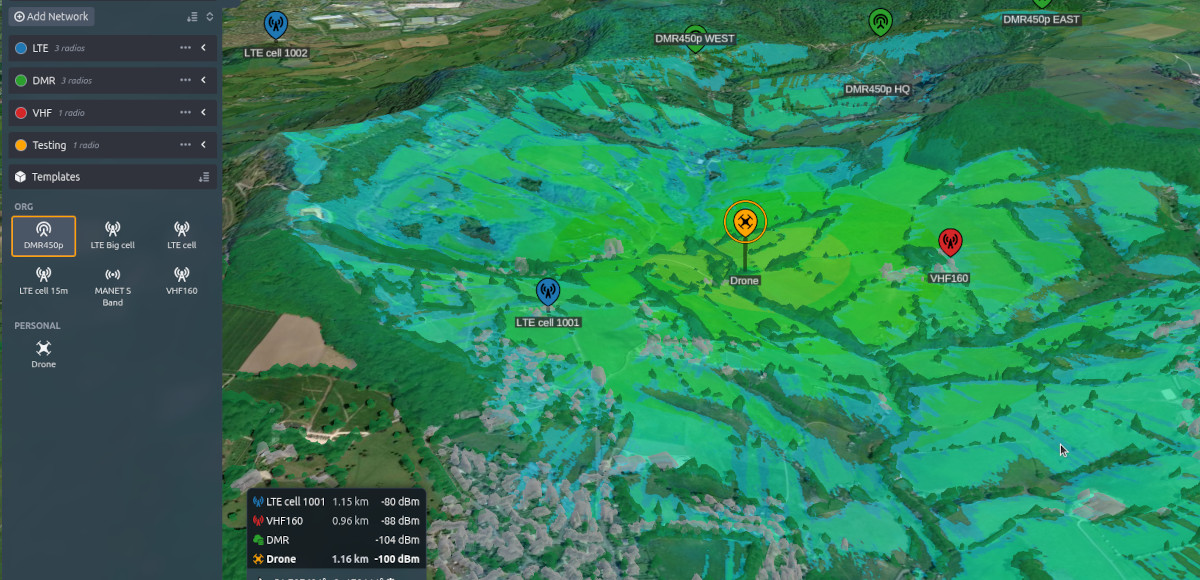
The second feature release of 2026 majors on testing, security hardening and improvements to the Software Bill of Materials (SBOM).
New features include Throughput, a new Satellite Spotbeam API and the PNUT project interface with offline 3D Tiles.
New features
PNUT interface
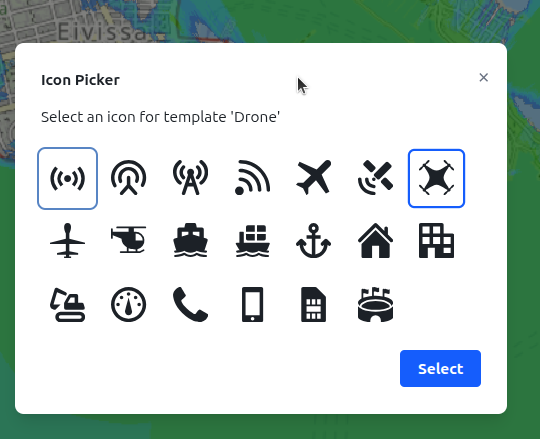
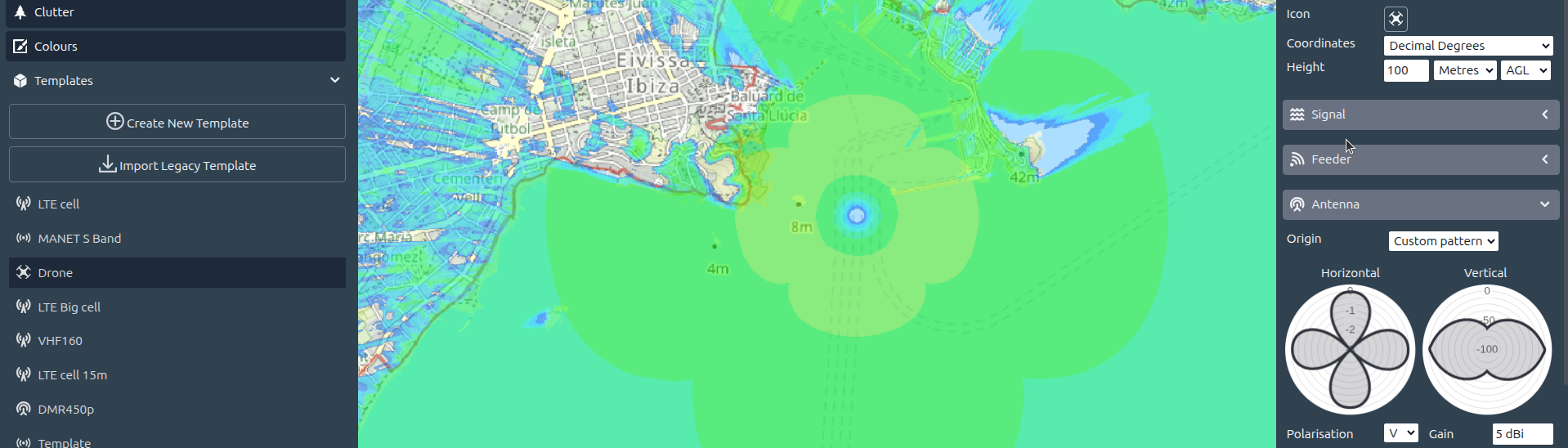
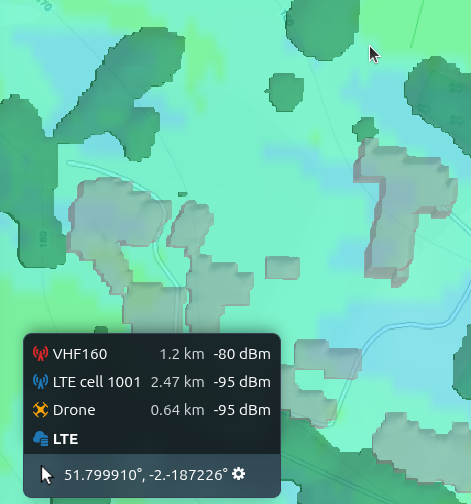
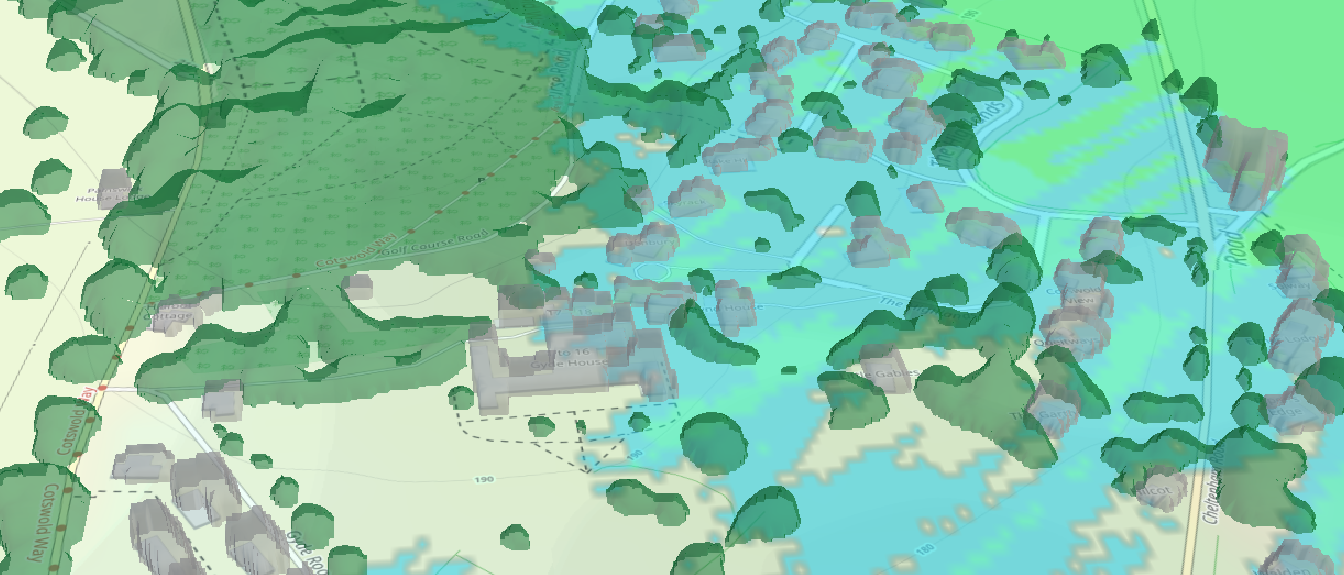
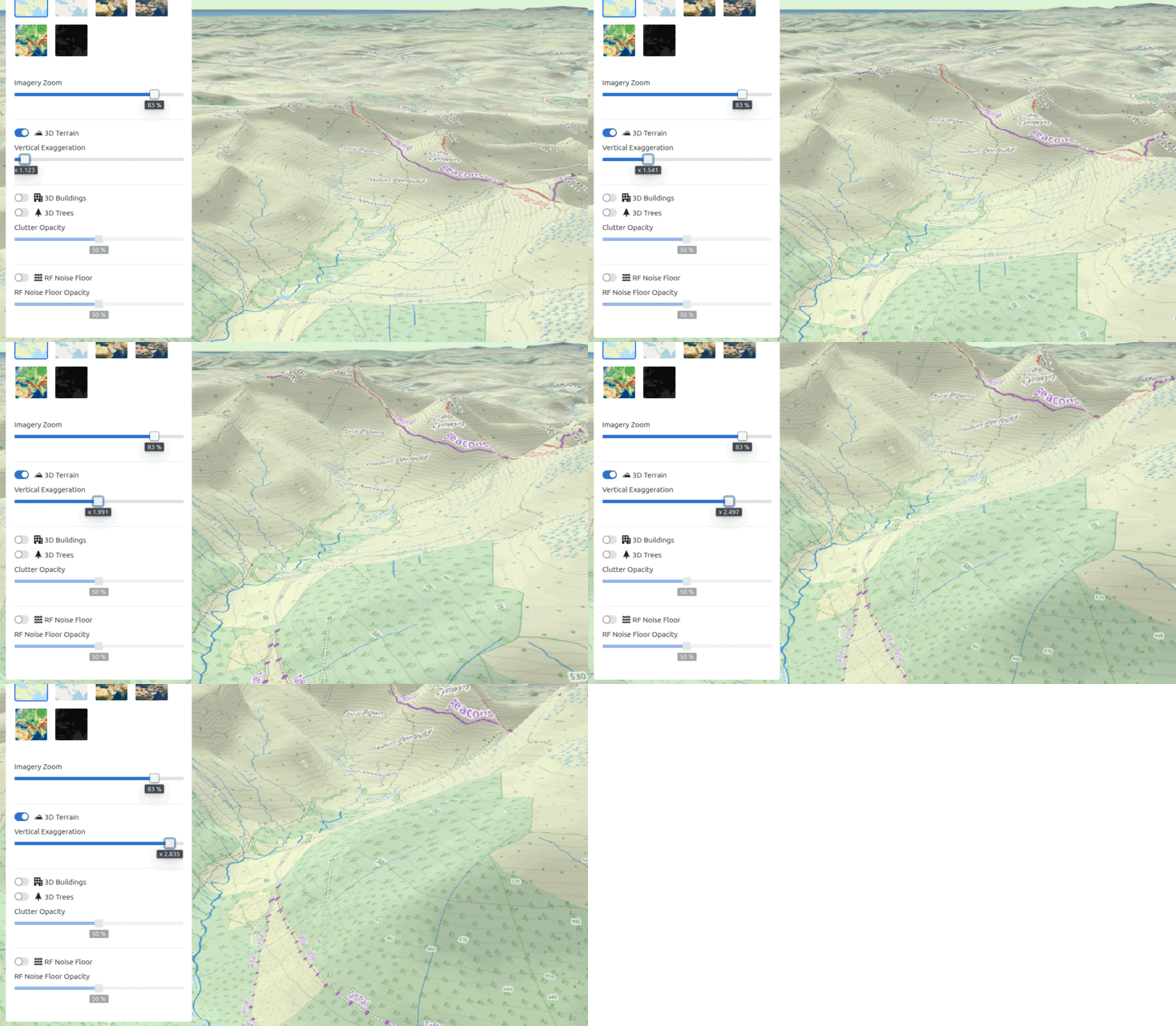
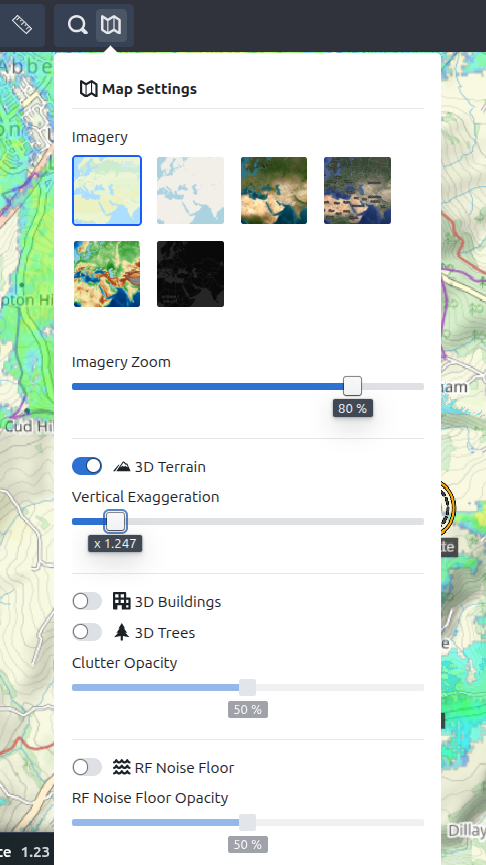
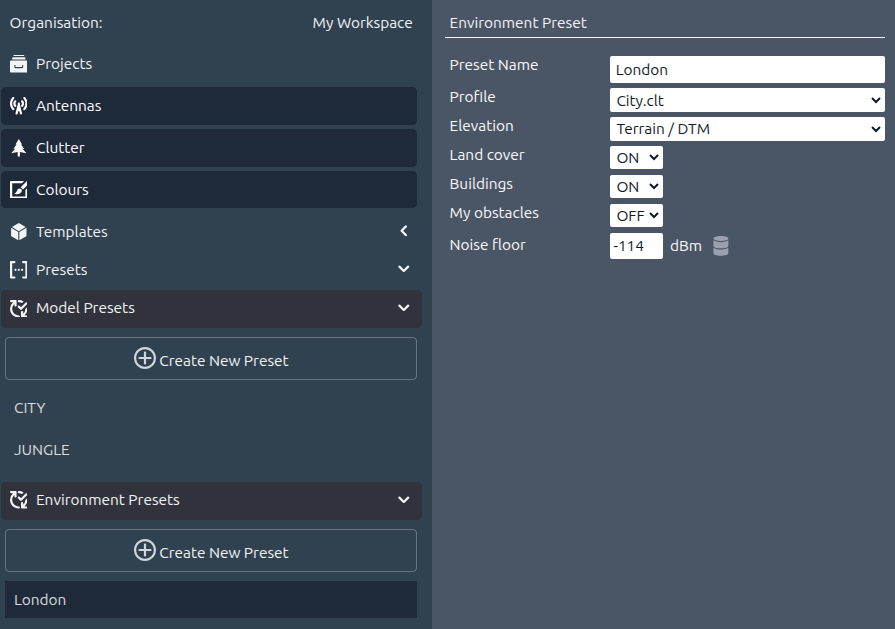
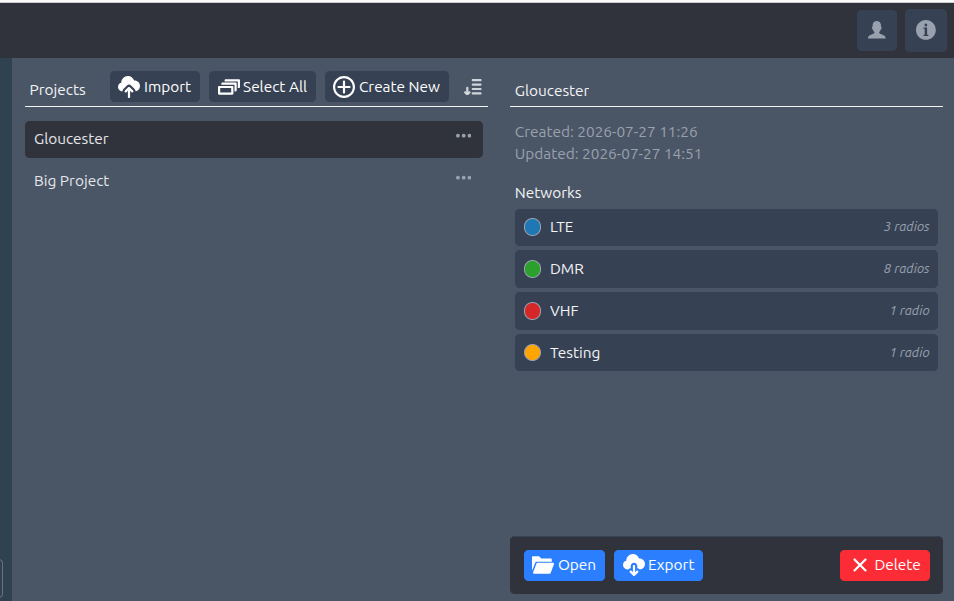
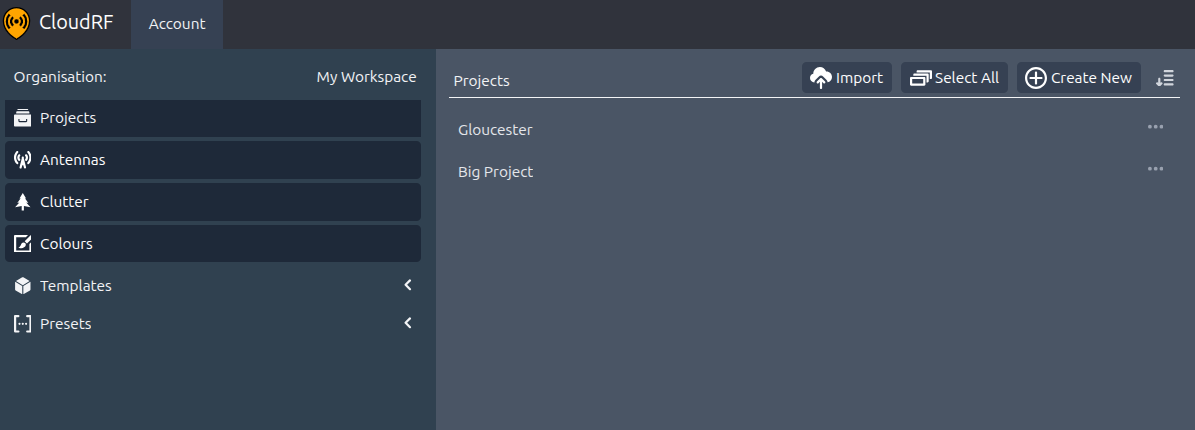
The Project Network User Tool (PNUT) interface and its supporting APIs debuts on SOOTHSAYER 1.12.
This is our next generation interface which is provided for comment. In time it will replace the main web interface but it has several releases before it reaches feature parity.
PNUT features, September 2026
- Project management
- 3D Tiles (Buildings, Trees)
- Offline 3D Terrain from API DTM
- Multi network management
- Template manager
- Implements Area, Path, Multisite, Multilink APIs
- CSV import
Read more about the roadmap for PNUT here.
Throughput
By user request we’ve upgraded our engines, API and UI to support throughput as Mbps and Kbps units.
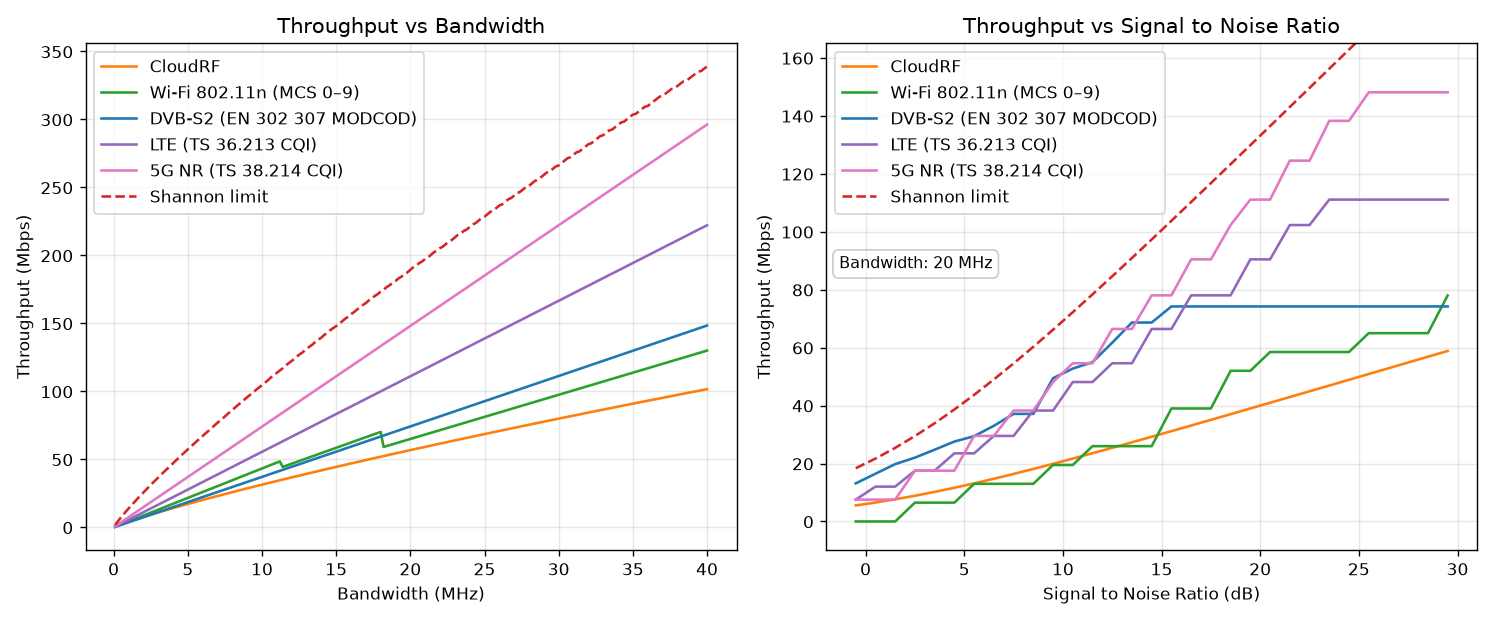
This was a notable upgrade as it required engine modifications but was the right choice compared with a quicker user interface upgrade using Signal-to-Noise ratio (SNR) output which would not have benefited our many API users.
It considers bandwidth, signal and noise to provide a conservative figure which maps to 802.11 and works for any digital technology from HF upwards.
As a dividend, and validation of our API design, it was possible to add the new feature to our plugins without code changes by changing the template file(s).
Read more in the simulating throughput post.
Satellite Spotbeam API
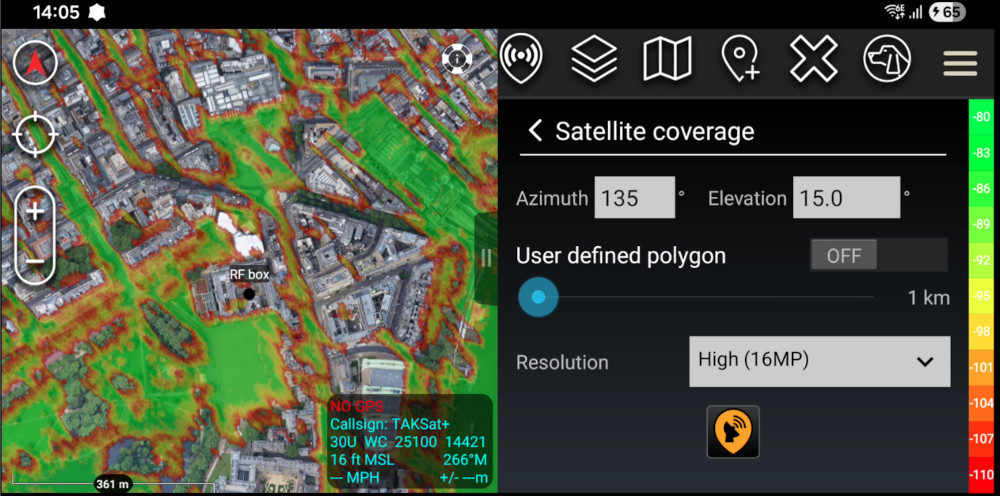
The Satellite Spotbeam API powers our new ATAK satellite coverage tool which calculates the served coverage area for a distant satellite on a given azimuth and elevation, as seen from the ground terminal. It uses an L Band signal with diffraction for maximum accuracy.
It is the latest iteration in our Satellite toolbox and offers several unique advantages over legacy tools:
- High accuracy with global buildings and trees
- Diffraction and attenuation capable for vegetation
- Works for planned satellite positions not present in TLE data
- Models an entire area not just a point or a route
Read more in the user documentation.
Testing process
Testing SOOTHSAYER takes a long time. The process starts 6 months before release with CloudRF where we publish new features first. These are used daily by hundreds of users and receive far more scrutiny from diverse global clients than we could ever generate synthetically. As a result of this crowd sourced testing we have found and fixed over 60 bugs in this release, averaging 10 a month.
Different browsers, time zones, operating systems, languages and browser plugins all add up to a test coverage that is hard to synthesise. When failures have occured, such as a GPU failure an unlucky customer discovered by accident this year, we patch it quickly. Having paying subscribers deliver projects under pressure is solid testing as they are quick to report issues and we are equally quick to fix them to stay in business.
Automated testing
As well as our many global customers, we have 24/7 automated testing services running against the CloudRF production API and interfaces. These catch and alert upon unreported failures and performance issues and aggregate data in dashboards so we can measure progress with both issues and API performance.
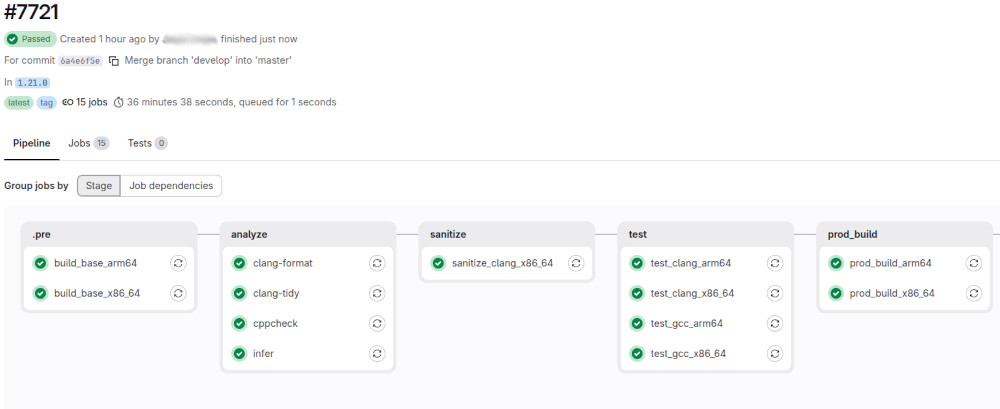
Internally, we have continuous integration and development (CI / CD) pipelines running against our source so when developers push a change, it is regression tested with a battery of tests. Our complete SOOTHSAYER test package, developed over many years, contains over 462,000 assertions testing everything we can from propagation model accuracy for HF and Satellite links to web form inputs and command injection.
We build for different architectures so in our pipeline we have dedicated physical ARM64 Jetsons and x86-64 servers for build testing. This is expensive but enables automation and future peace of mind for both parties.
Closer to release date, we freeze new features and start an intense cycle of installation testing. This involves taking a cut of the software stack and installing it on different systems with varying configurations. We test online and offline, GPU and no GPU, Upgrading old releases and adding offline data packs containing terrain and clutter data.
Manual testing
A lot of interface testing is still manual despite using Cypress UI testing for automation due to the complex multi-stage tasks involved. For example, a tester might import a KML file to an analysis tool, conduct some modelling with it and then switch tool to repeat the process. Then repeat with another browser. These tests are time intensive.
Finally, the ultimate test is field testing offline. We took SOOTHSAYER on ARM64 to mountains in Scotland for offline endurance testing which went very well and analysis of logs revealed a subtle GPU memory leak. Recently, we took ARM64 and x86 servers to the US for a large offline integration test which was excellent validation on many levels.
Security hardening
Hardened images
We use popular Linux distributions which contain multiple vulnerabilities for third party packages.
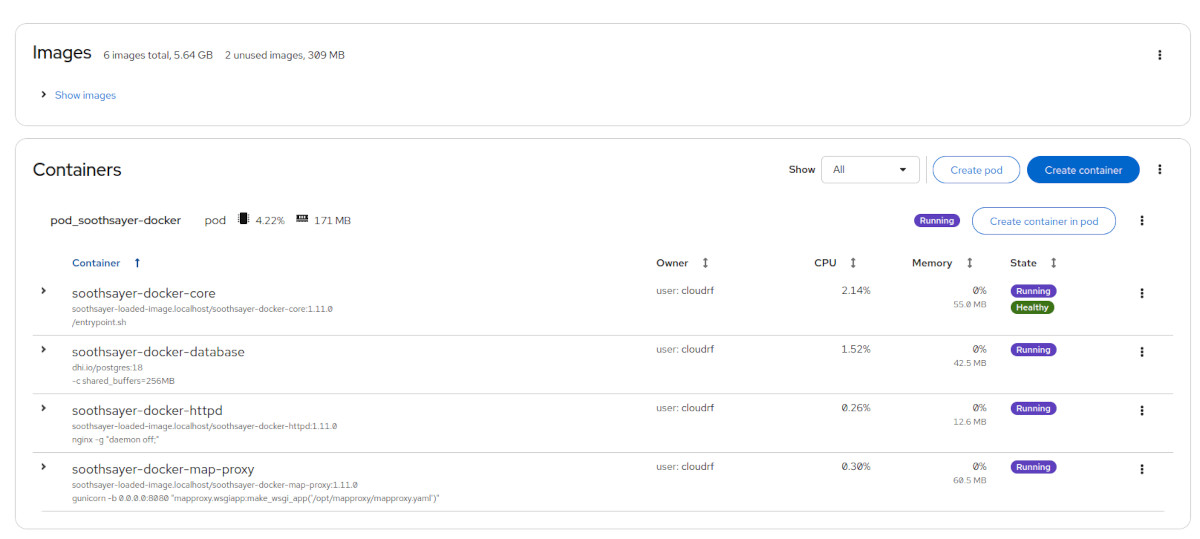
To reduce the number of issues, we have swapped out one of our four images for a Docker Hardened Image. A hardened image has a smaller attack surface achieved through the removal of redundant packages and more current versions of mainstream libraries, beyond what might be available in stale OS distribution channels.
Many distribution channels are out of date for a number of good reasons. This is not scheduled to improve as the rate of software development, and number of packages, increases. This explains the growing popularity of minimalist distributions for both desktop and enterprise markets.
Security bugfixes
Several security issues have been identified and patched. They require prior authentication and none would result in remote code execution. For more details, please get in touch with your customer reference.
Package pruning
During testing we identified deprecated packages, database tables and libraries which have been removed. This pruning is important to keep the software maintainable, save testing time, reduce file size and lower the number of detected CVEs which is discussed below. The following packages were removed:
- npm
- libgdal-dev
- libtiff-dev
- libvulkan-dev
- freeglut3-dev
- linux-libc-dev
- python3-pip
- python3-pip-whl
- python3.12-venv
- curl linux-libc-dev
- libgeos-dev
- libgdal-dev
- python3-dev
- linux-libc-dev
We have a hitlist of open source packages prone to CVEs we’re going to remove in time once we’ve fully replaced their functionality. One notable package used for analysis of processed images is almost redundant since image processing was moved inside our engines for speed.
SBOM improvements
We ship an SBOM in a machine readable CycloneDX standard to list known vulnerabilities as well as vulnerability exploitability mitigation statements in the OpenVEX standard. Demand for SBOMs is growing, driven by legislation such as the EU Cyber Resilience Act which came into force this month for reporting.
This is a calculated risk as a contractor could fail to understand the significance of the listed vulnerabilities and mitigations or even worse, an unethical organisation could select artifacts from the data to justify a build/buy decision or recommend integrating a legacy foreign tool because they don’t like change – for example.
We’ve enhanced our previous SBOM with CVE mitigations and are confident enough to announce we are shipping a perfect 10 vulnerability, for something we do not use. This example sums up the problem nicely as counting CVEs without context is rent-seeking behaviour, often delivered by consultants without software development experience, who are on borrowed time now due to AI.
{
  "vulnerability": {
    "name": "CVE-2023-5841"
  },
  "products": [
    {
      "@id": "pkg:deb/ubuntu/libopenexr-3-1-30"
    }
  ],
  "status": "not_affected",
  "justification": "inline_mitigations_already_exist",
  "impact_statement": "The EXR coder is denied in /etc/ImageMagick-6/policy.xml."
}
We believe AI will help with this data and integrity problem in particular as it requires drawing fair conclusions from a large number of data points. Our software is not perfect, but it is tested, and we have the proof.
We have experienced Linux security experts on the team and if anyone would like to challenge items or CVEs within our SBOM we would welcome a meeting to discuss details.
Technical evidence for accreditation
With each release we’ve incorporated user feedback on features and documentation which is the easy bit.
When it comes to security, feedback is rare, and often comes indirectly from questions. We’ve had demos and sales which have silently hit a glass ceiling where the effort of resolving an issue outweighed the gain.
We sell SOOTHSAYER to private industry and Governments and see every type of security process ranging from proof of insurance to weird requests for screenshots of our development environment.
This is not just a problem for software manufacturers but customers who need new software, and Government accreditors who are overwhelmed with applying legacy processes at the speed of modern DevSecOps.
This problem and guidance has been summarised well in a recently published UK Government paper.
The paper makes the high level case for evidence-led assurance for software and groups evidence into five types. The types are listed below along with our own supporting evidence for SOOTHSAYER. Some of this is included with the software and other artifacts are available on request. The most powerful document is a machine readable SBOM.
| Type | Evidence Focus | SOOTHSAYER artifacts |
|---|---|---|
| DEFINE | Intent, constraints, risk and required outcomes | API/Engine tests Postman API tests |
| BUILD | Traceability, repeatability, dependency control and engineering quality | Docker build files Engine build logs Release build log LICENSE.md SBOM |
| VALIDATE | Quality, security, performance and readiness assertions have been tested | CI/CD pipeline logs UI test matrix Postman API tests |
| RELEASE | Promotion, recovery, support readiness and accountable risk acceptance | SPDX and CycloneDX SBOM OpenVEX statements CVE HTML reports |
| OPERATE | Live service behaviour, resilience, incidents and continual improvement | Public changelogs SOOTHSAYER changelog Documentation Field test reports |
We’re hopeful that by providing a large body of evidence, we can provide confidence to address buyer uncertainty and also make it harder for unethical actors to swing a build/buy decision which is only cost effective for organisations who get paid for their time, not their output.
At the end of 2027, network enabled software in Europe will require a CE quality mark. In order to get this mark, this evidence will be required so if there is an upside to this new and expensive requirement it’s that dangerous software will be legislated of the professional market. We are nearly a year away from a day where the passenger next to you on the plane can carry volatile power-banks, sold online, but the application on your laptop will need a CE mark.
AI statement
We’ve added an AI statement to the documentation to document where we have used AI to assist in the development and documentation. It makes clear our position on where we see AI adding value such as data processing tasks or plugin development and where it is not welcome such as implementing algorithms, assuring accuracy and developing secure interfaces.
We’ve observed a large number of similar looking RF-planning-tools appear during this year but have yet to see rapidly developed tools competing any time soon on anything deeper than interface styling.
We may yet see a challenger with deep pockets and a passion which spans more than a few weeks but until then, the professional market will belong to tested solutions and we have over 14 years experience in developing, testing and maintaining our software.
More information
For SOOTHSAYER demos and sales please contact sales@cloudrf.com from a work email.
For existing customers with current support plans, you can fetch the new release and documentation from the support portal now.
Compatibility matrix
| Operating System | Architecture | Container Engine | Nvidia Driver |
|---|---|---|---|
| JetPack 6.2.1 (Ubuntu 22.04) | arm64 (aarch64) | Docker 29.6.0 Docker Compose 5.1.4 | 540 (CUDA 12.6) |
| JetPack 7.2.1 (Ubuntu 24.04) | arm64 (aarch64) | Docker 29.8.0 Docker Compose 5.5.1 | 595 (CUDA 13.2) |
| Rocky Linux 9.8 | amd64 (x86_64) | Podman 5.8.2 Podman-Compose 1.5.0 | 615 (CUDA 13.4) |
| Rocky Linux 10 | amd64 (x86_64) | Podman 5.8.2 Podman-Compose 1.5.0 | 595 (CUDA 13.2) |
| Ubuntu 24.04 | amd64 (x86_64) | Docker 29.8.0 Docker Compose 5.5.1 | 595 (CUDA 13.2) |
| Windows Subsystem for Linux 2 | amd64 (x86_64) | Podman 6.0.2 Podman-Compose 1.6.0 | 560 (CUDA 12.6) |
Rootless install video
SOOTHSAYER was installed as rootless containers on Rocky10 with Podman and NVIDIA.
Changelogs
API
3.36.2 (2026-09-23)
- Fix: Improved validation for unsupported GPU diffraction models.
- Fix: Security fixes.
3.36.1 (2026-09-04)
- Improvement: Improved error for expired/missing SIDs when querying the archive.
- Fix:
DNvalues (SHP and GeoJSON) now reflect colour schema values for all schemas. - Fix: Receiver sensitivity in the archive always in
dBmmeasured units. - Fix: Broken OPTIONS response for static files.
- Fix: Mbps units rendering as Kbps when restored from the archive.
- Fix: BER units incorrectly labelled in hover tooltip. Now reporting dB SNR.
- Fix:
/multilinkignoring global noise floor.
3.36.0 (2026-08-27)
- Feature:
/spotbeam. - Feature: Added 3D tiles endpoints for terrain and clutter.
- Feature: Support for PNUT interface added.
- Feature: Extended
multilinkendpoint to allow separatereceiversandtransmitters. - Feature: Added optional
nameproperty tomultilinkradios. - Fix:
/noise/clearendpoint can throw errors if no data payload is submitted. - Fix: PPA chart isn’t included within KMZ exports.
- Fix: Missing error message for CPU timeouts.
- Fix: Multilink RADAR propgation model should not use receiver antenna pattern.
- Fix: Error messages not being displayed in the clutter profile manager.
- Fix: Security fixes.
3.35.0 (2026-05-21)
- Feature: Added layer opacity to public archive link.
- Fix: Public archive link is using CDN assets rather than locally hosted.
- Fix: Requesting
pathPNG from archive can sometimes return “File not found” the first time it gets requested. - Fix: Improve archive error responses.
3.34.1 (2026-04-23)
- Fix: Multilink API antenna
tltandpolincorrect.
3.34.0 (2026-04-22)
- Feature: Added
throughput (Mbps)andthroughput (Kbps)as units. - Feature: Added throughput support for CPU, GPU and HF engines with waveform agnostic Shannon-Hartley formula
- Fix: Improved validation logic on
/clutter/add. - Fix: Using
/clutter/addwith platinum plan is incorrectly limited. - Fix: Improved handling of duplicate clutter with
/clutter/addendpoint. - Fix:
elapsedkey formultisitecast to integer.
3.33.1 (2026-04-01)
- Fix: Security hardening.
UI
3.27.2 (2026-09-21)
- Fix: MANET calculations ran immediately on import in some scenarios.
- Fix: Toggling the MANET tool caused an unnecessary recalculation.
- Fix: Importing a flight route onto an existing heatmap incorrectly coloured the balls.
- Fix: Coverage analysis balls coloured incorrectly when below colour key.
- Fix: KML import used “undefined” as the coverage analysis group.
- Fix: Initial loading of the interface unnecessarily loads unused imagery layer.
- Fix: Limit dropdown maximum size.
- Fix: Added missing scrollbars in a dialog.
- Fix: Feeder efficiency label now discounts antenna gain. ERP unaffected.
3.27.1 (2026-09-07)
- Fix: Colour schema not being loaded correctly.
- Fix: MANET networks not draggable.
3.27.0 (2026-08-27)
- Improvement: Updated Cesium to 1.143.
- Feature: Add “My CloudRF Account” to “Account Information” modal.
- Feature: Add link to noise manager after successful import.
- Feature: Check that username and password are set before sending to the API.
- Fix: Cursor tooltip warning when signal exceeds colour key.
- Fix: Improved error handling when adding clutter.
- Fix: MGRS coordinates sometimes do not automatically update the marker location.
- Fix: MGRS coordinates automatic formatting for variants of spaces etc.
- Fix: Using “Merge visible” with the Super-Layer tool always sets the network name to “mymesh”.
- Fix: Auto-select the current network when opening the archive.
- Fix: Missing spin lock when calculating with imported flight path for route analysis.
- Fix: Prevent importing route analysis with mixed altitudes (e.g. flight path) which exceed API points limit.
- Fix: Limit interpolation on route analysis with mixed altitudes (e.g. flight path) to API points limit.
- Fix: Using “Coverage Analysis” with archived layers was not being honoured in the coverage metrics.
- Fix: Importing MANET network does not zoom to the imported locations.
- Fix: Antennas in the dropdown aren’t always ordered correctly.
- Fix: Importing KMZ files incorrectly reports “not well-formed” in the console.
- Fix: Enabling MANET on environments where a GPU is not available is now handled gracefully
- Fix: Loading some templates can cause antenna “Origin” to be set to an empty value.
- Fix: “Land cover”, “Buildings”, and “My obstacles” can be empty when loading old layers or templates.
3.26.1 (2026-04-22)
- Feature: Added
throughput (Mbps)andthroughput (Kbps)as units. - Improvement: HF Skywave default context changed to Average
- Improvement: HF Skywave default bandwidth changed to 3KHz