
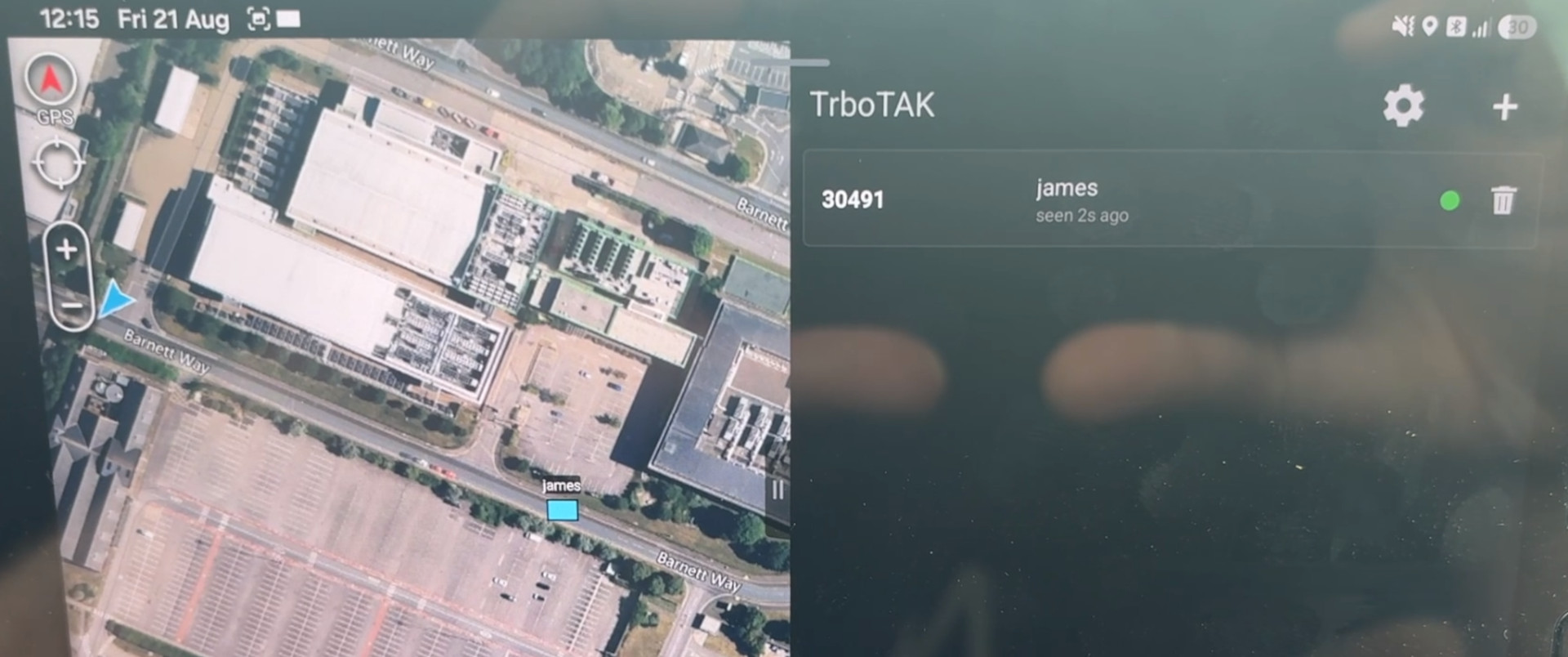
The free TrboTAK ATAK plugin connects to IP enabled Motorola DMR ‘MotoTRBO’ radios to fetch their locations.
It connects to a donor radio with Bluetooth PAN or USB with a programming cable. The plugin works by sending a UDP packet containing an LRRP location request to a numbered radio on a periodic interval, then listening for replies.
MotoTRBO radios can be configured to periodically broadcast their positions using the CPS 2.0 programming software.
We were motivated to make this capability to integrate popular Motorola radios with ATAK so they can benefit from live coverage mapping which our SOOTHSAYER plugin provides via ATAK. We applied to join Motorola’s Developer Program but we were unable to satisfy them that we have customers so have published it here and on the app store.
App download
You will require ATAK to be installed first to use this plugin.
TPC signed APK download:
Google Play link:

Plugin Setup
First, establish and IP connection to your donor radio. This plugin uses UDP packets so needs an IP connection to work.
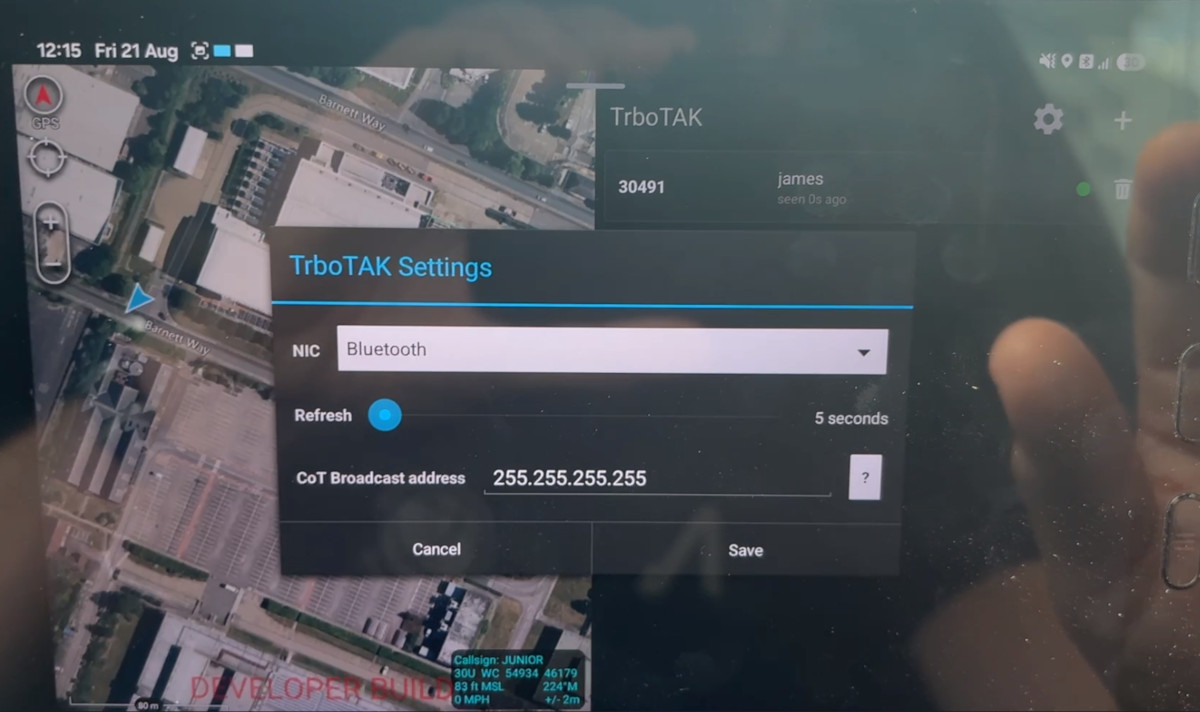
Click add to setup a new radio and enter it’s ID number (found within radio settings). This will determine a fixed IP address on the Motorola CAI interface.
Set the refresh interval using the slider. A recommended interval is at least 20s for a moving radio but don’t go too fast or you can run the battery down and tie up the channel.
Radios will appear on the map as friendly CoT markers.
The Broadcast address allows the CoT to be shared locally on a subnet with other TAK clients. The verbose CoT XML is not sent across the DMR radio as it would require too much airtime to share.
Debugging
You can test IP connectivity using regular ICMP utilities like ping. Find the address of your distant radio and ping it via the donor radio as demonstrated here by Andy Kirby.
Feedback
If you would like more features adding to this plugin or have found an issue or hardware incompatibility, please let us know at support@cloudrf.com