


PNUT Interface
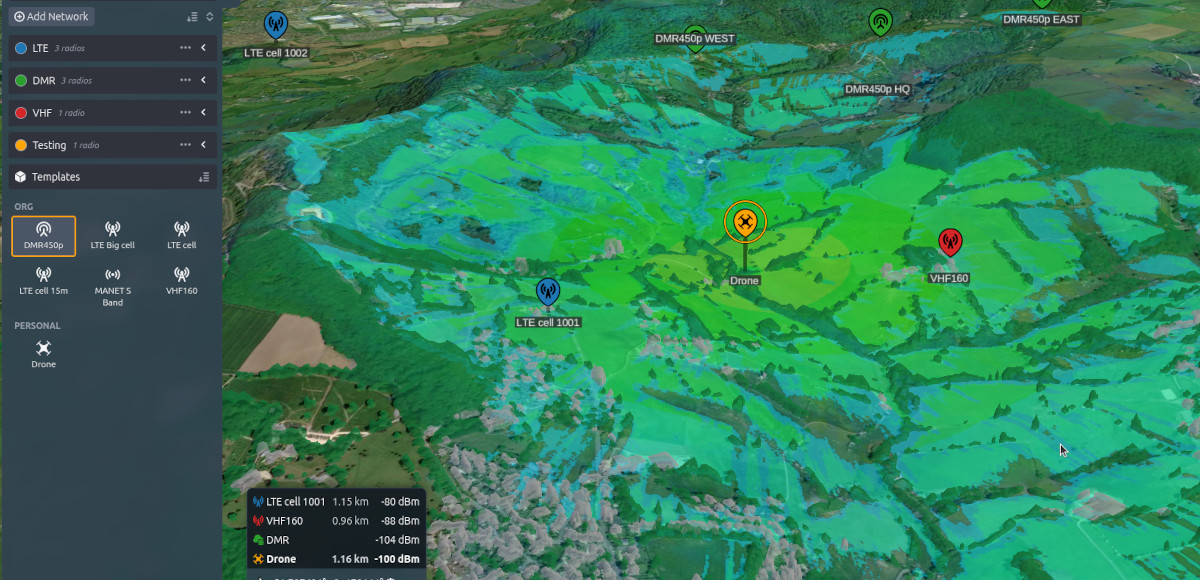
The Project Network User Tool (PNUT) interface is for simulating complex multi-technology projects.
The interface can be accessed from the /pnut endpoint, for example available on CloudRF at https://cloudrf.com/pnut.
The PNUT interface has been tested to work best in the latest version of Google Chrome. It’s recommended that you use it in this browser, however any browser which supports WebGL technology should be functional.
New features
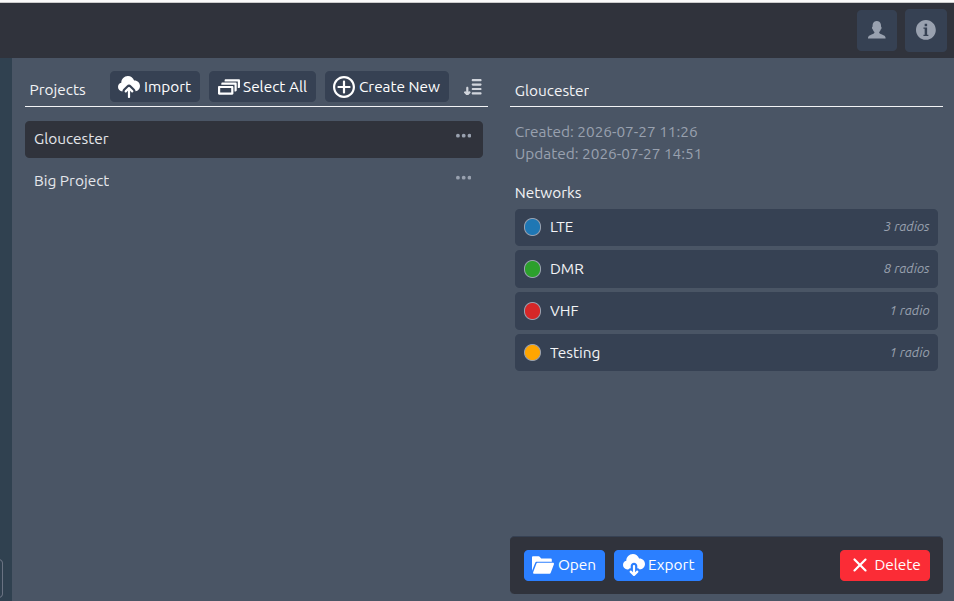
Project management
When a user logs in, they are presented with a project dialog to start , import or resume a project. The scope of a project is radio networks, templates and metadata which can be shared as a single text file. The file describes all the detail needed to rebuild the project in CloudRF or third party simulation software, without the weighty KMZ layers people previously traded in.
When a project file is imported, the layers are re-created on demand. This will use more API calls which is why this feature is enabled for premium plans only.
Network centric design
The interface was been rearranged to focus onto networks versus sites. The left panel is for networks and templates and the right panel contains familiar site settings (radio, antenna, environment, model etc).
To safe repeating actions, settings can be defined at the network level. For example, all the sites in a network may have common receiver, environmental and model configurations but varying heights and transmit powers.
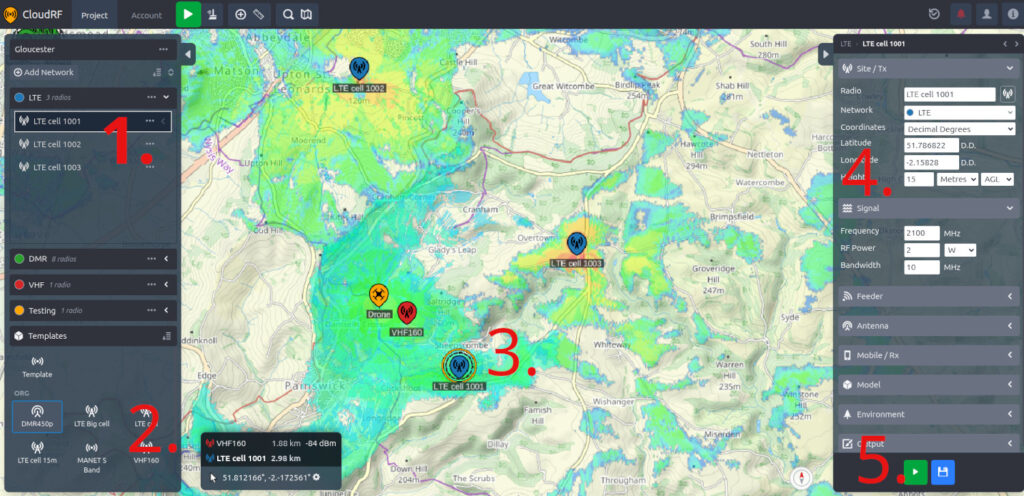
1. Network panel. For defining a network
2. Templates panel. For rapidly adding a template
3. Map showing selected site. Colour coded networks easy management.
4. Site settings. These are familiar to anyone who has used our legacy web interface.
5. Calculate and save buttons. Also familiar. These will model coverage or save all the settings as a new template for quick access.
More information
PNUT release 1.0 blog
PNUT user documentation