Path Profiles
A path profile is a point-to-point link from a radio to an arbitrary point. Add one with the Add Path Profile tool, to see links between radios turn on Mesh on the network.
A path profile appears nested under its radio on the left sidebar. Selecting one shows its results on the right sidebar.
The Chart
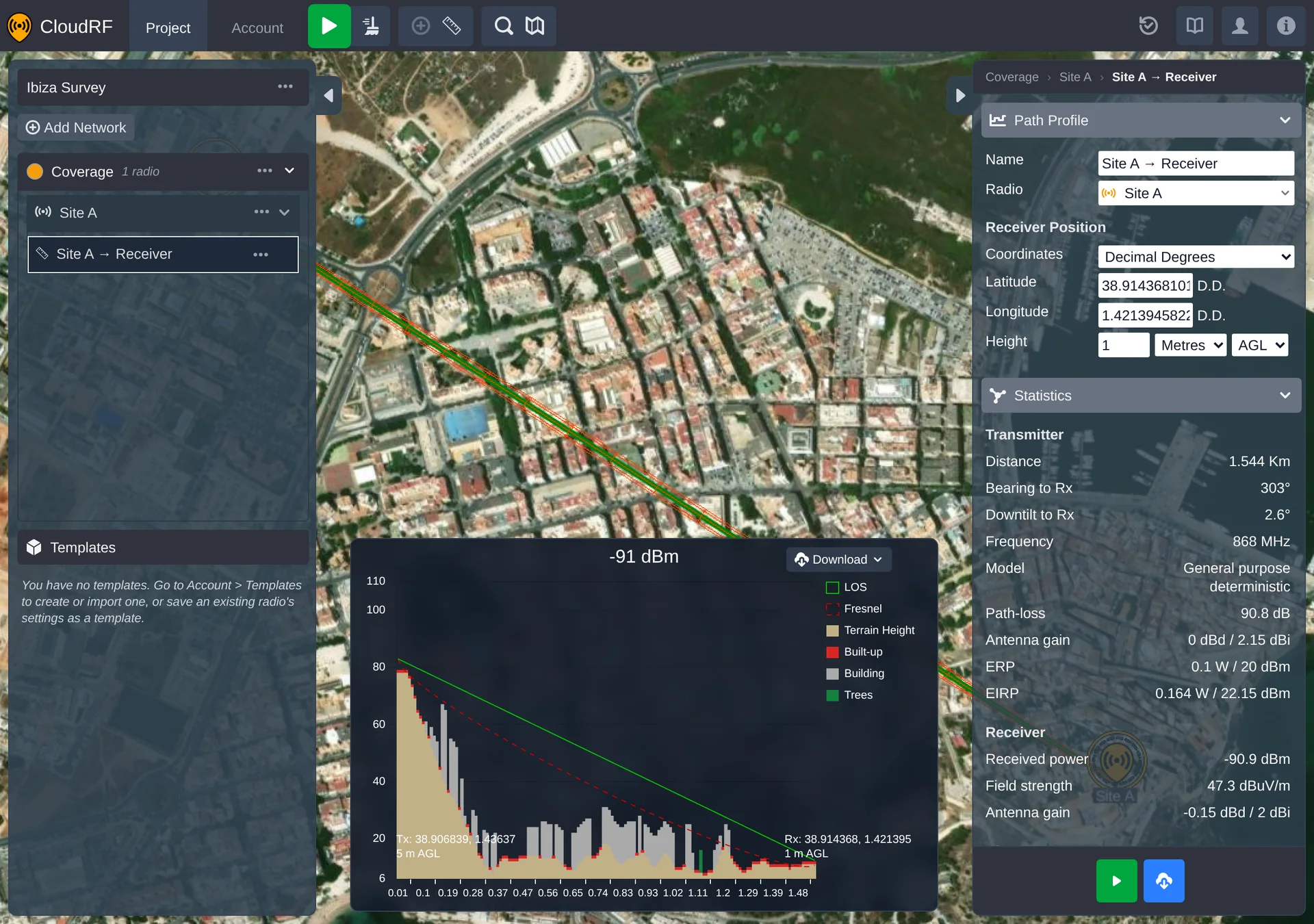
Along the bottom of the panel, a chart plots the terrain profile, line of sight and Fresnel zone between the two points.
Raising the Receiver
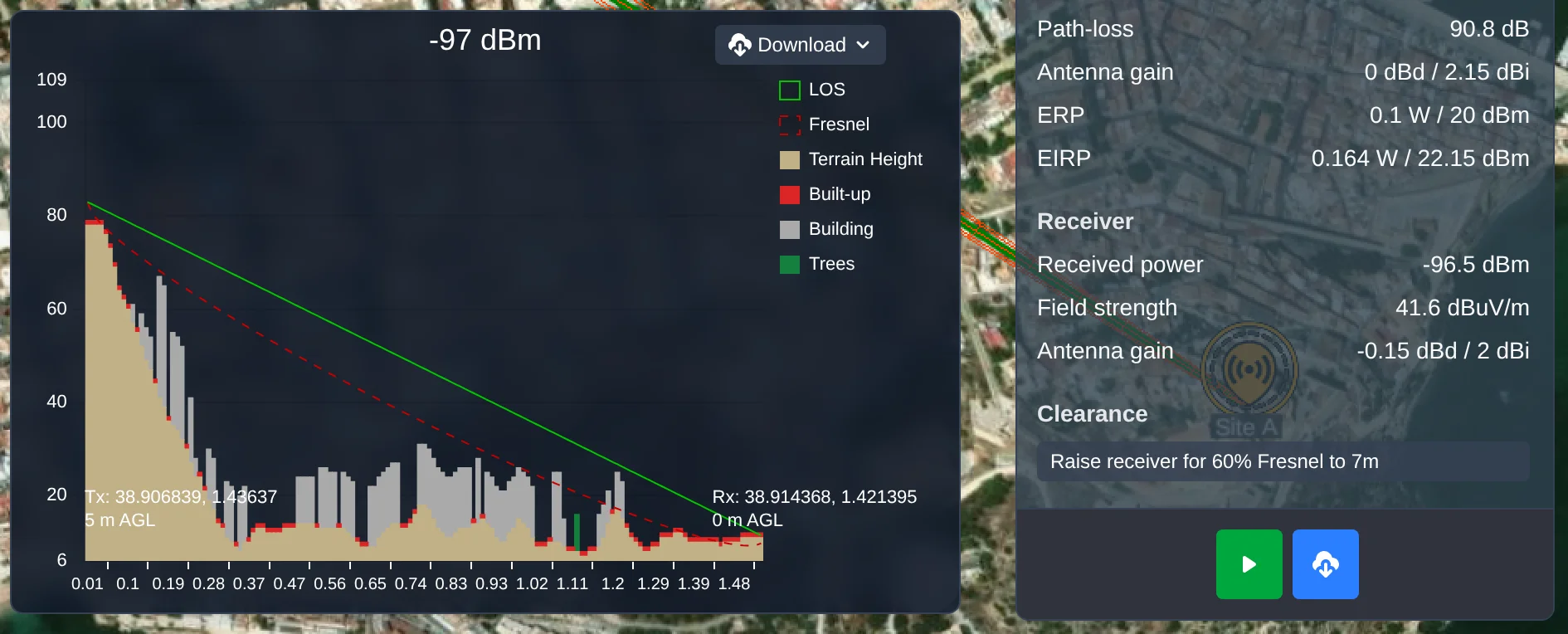
Where the receiver sits too low for a clean link, the right sidebar's Statistics section offers a raise button - shown only when there is slack to raise the receiver. The button labels are:
- "Raise receiver for LOS to ..." - raises the receiver just enough to clear line of sight.
- "Raise receiver for 60% Fresnel to ..." - raises the receiver enough to clear 60% of the first Fresnel zone.
Context Menu
Right-click a path profile - on the map or in the left sidebar
- for its context menu:
| Item | Notes |
|---|---|
| Edit | Opens the path profile panel. |
| Rename | Only shown when the path profile can be renamed. |
| Frame | Frames the path in the map view. |
| Focus / Unfocus | Toggles focus on the path, dimming everything else in the project. |
| Duplicate | Creates a copy of the path profile. |
| Delete | Deletes the path profile. |
| Edit Network | Opens the settings panel for the parent network. |
| Edit Radio | Opens the settings panel for the radio this path profile belongs to. |