Tools
The map toolbars - one tool per button, each opening a mode, popup or dropdown.

| Tool | Icon | Does |
|---|---|---|
| Calculate | Runs the calculation for the current selection now. Works for networks and nodes. | |
| Clear | Sweeps calculated results off the map, leaving the radios in place. | |
| Add Radio | Disabled until the account has at least one template; toggles add-radio map mode, click the map to drop a radio using the selected template's settings. | |
| Add Path Profile | Enabled only when a radio is selected; toggles add-link mode. | |
| Search | Opens the search popup - places worldwide, plus the project's own networks, radios and path profiles. | |
| Map Settings | Opens map settings. |
Header Icons
A handful of icons live at the far end of the header rather than on the toolbar - some reporting status, some opening something:
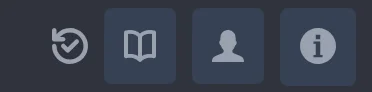
| Icon | Does |
|---|---|
| Sync | Whether project changes have saved to the server. It turns while something is saving or calculating, and goes red if the last save failed. |
| Tile | Whether map tiles are still loading, filling as they arrive. Absent once they are in. |
| Notifications | Recent system and calculation notifications. Appears only once there are any, and colours orange or red for an unread warning or error. |
| Help | Opens this documentation site in a new tab. |
| Account | The signed-in account, with a menu to switch or sign out. |
| About | App version and links to support. |